This content is protected
To view, please enter the password.
kameon Design System
Date
2024
Client
bbg bitbase group GmbH
Role
Design System Lead
Team
Andre Schneider, Head of Product Design
Fabienne Vatter, Product Designer
Alexandra Maihöfer, Product Designer
bbg bitbase team, Development
Overview
kameon is the governance, risk and compliance suite built by bbg bitbase group: a GRC platform, an audit product and a family of apps and modules such as Drive, Contract and Academy. KDS, the kameon design system, is the single foundation all of them are built on: one brand, one set of tokens, one component library and one place where every design decision is written down.
The challenge
Each product had grown on its own, with its own buttons, tables, filters and ways of saying the same thing. Customers buy kameon as a suite, so the differences showed. The system had to bring every product under one visual and behavioural language, for designers and developers alike, without slowing down teams that shipped every week, and with accessibility built in before the European Accessibility Act made it mandatory.
My role
As design system lead I defined the architecture of KDS: the token tiers, the foundations, the component APIs and the documentation site. I designed and documented the components and patterns, set up the Figma libraries and the contribution process, and worked with Andre Schneider, our head of product design, the product designers and the developers who built it into code.
Built for the people who build kameon
A design system has two kinds of users: the people who use the products, and the people who make them. Before drawing a single component I looked at the second group. Three profiles kept coming back: Mara, a product designer tired of redrawing the same table for every product; Jonas, a frontend developer who wanted names instead of hex values; and Elif, a product manager who needed the whole suite to feel like one kameon. Pick any of them to see what they needed.
- 31 / Female
- Berlin, Germany
- Product designer, kameon AUDIT
- 6 years
- Start every feature from components that already work.
- Know which variant to use and why, without asking around.
- Hand over designs that developers can build as drawn.
- Each product had its own buttons, tables and filters.
- Detached components that drift away from the library.
- Guidelines spread across files, chats and memories.
- Devices
- MacBook 85%, External monitor 10%, iPhone 5%
- Apps
- Figma, Jira, Teams, zeroheight
- 36 / Male
- Stuttgart, Germany
- Frontend developer, GRC Platform
- 10 years
- Use tokens and components instead of raw values.
- Find states, spacing and behaviour documented in one place.
- Ship a change once and see it everywhere.
- Designs with values that exist nowhere in the code.
- The same component built three times in three products.
- Unclear rules for focus, errors and empty states.
- Devices
- Linux laptop 80%, MacBook 15%, Android phone 5%
- Apps
- VS Code, Storybook, GitLab, Figma
- 42 / Female
- Hamburg, Germany
- Product manager, kameon suite
- 14 years
- Ship features faster across several products.
- Keep the suite consistent as it grows.
- Meet accessibility rules before they become a risk.
- Customers noticing that two kameon products behave differently.
- Time lost discussing details that should already be decided.
- The European Accessibility Act deadline coming closer.
- Devices
- Windows laptop 70%, iPhone 25%, iPad 5%
- Apps
- Jira, Confluence, Teams, Excel
One brand for a whole suite
kameon is a branded house: one master brand, a suite app, a sub-brand for each product and the GRC modules underneath. All of them share the same logo structure, colours, typography and tokens, so an auditor in kameon AUDIT and a compliance officer in the GRC Platform feel they are in the same place, because they are. KDS is what makes that possible: it is not the system of one product, it is the system of all of them. Hover or tap any logo below to see what each product does.
A map of the system
I organised KDS in five sections that answer five questions: who we are (Brand), what everything is made of (Foundations), what we build with (Components), how we solve recurring problems (Patterns) and how to get started (Resources). Tap any part of the map to read what it holds.
Tokens first
Everything starts with tokens. Primitive tokens hold the raw values, semantic tokens describe how a value is used, and component tokens belong to a single component. A designer picks interaction-color-default, not #2195F2, and a developer reads the same name in code. When a value changes, it changes everywhere, in every product. Hover or tap a tier below, or point the primitive to another blue, and watch the button follow.
Foundations every product shares
On top of the tokens I defined the foundations: Roboto on a major third scale with a 14px base, a 4px grid for every size and space, a short list of radii, elevation levels, motion durations and the Font Awesome icon library. Each one comes with its guidelines, its tokens and its Figma counterpart.
- Spacing on a 4px grid
- Columns, gutters and margins
- The icon library in Figma
- Elevation levels
50 components, documented the same way
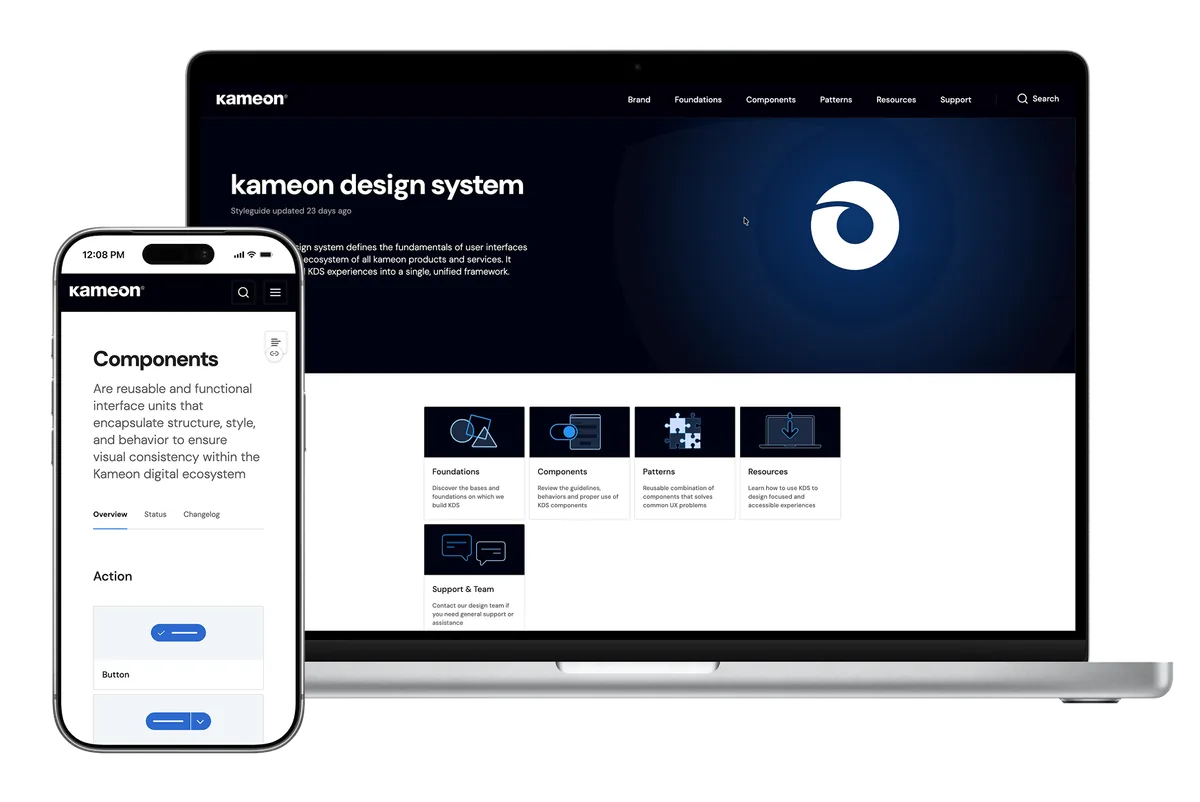
Components are grouped in six families: action, indicators and status, navigation, inputs, feedback and content display. Every page follows the same structure: guidelines, anatomy, states, Figma, code, tokens and a changelog, and a status table shows what is ready in Figma, in Storybook and in the documentation. Below are some of the components that carry most of the work in a compliance product. Open any of them at full size.
- Table
- Filtering a table
- Bulk actions
- Filter config
- Date picker
- Calendar event card
- Sidebar
- Action menu
- Split button states
- Modal with a form
- Datalist
- CTA modal
Down to the pixel
Complex components, like the table, are documented down to their anatomy: the header, the filters, the content grid, the footer and the navigation controls, with the size and spacing of every cell. Designers and developers read the same drawing.
A documentation site people use
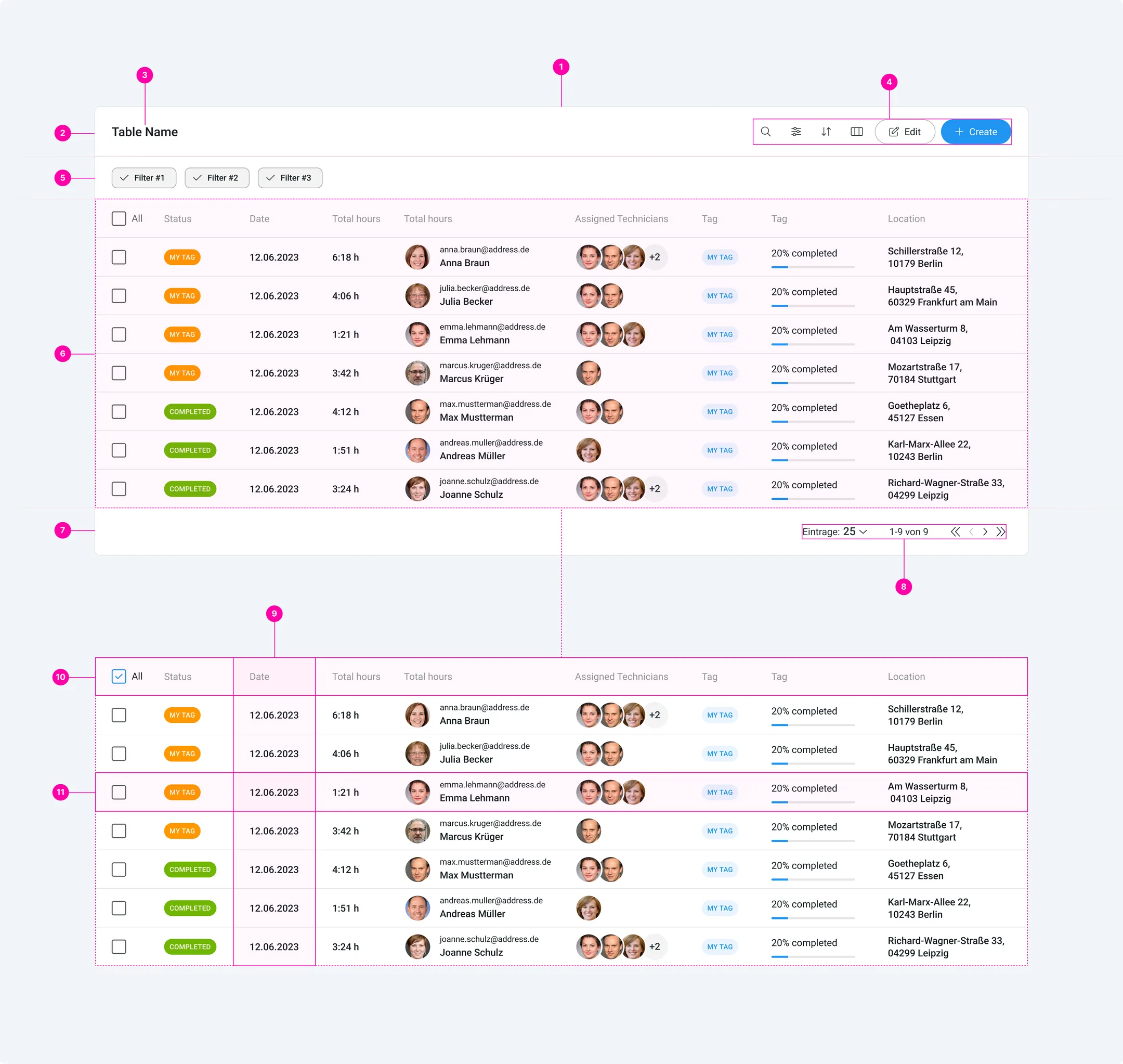
All of it lives in one documentation site, kameon.design, open to everyone who works on kameon: designers, developers, product managers and marketing. Here is a short walk through it, from the home page to the components, the table and the tokens.
Accessible by default
KDS takes WCAG 2.1 AA as its baseline, covering visual, cognitive, motor and auditory needs, and every component is checked before it is released. When the European Accessibility Act made WCAG 2.1 AA mandatory in the EU from June 28, 2025, kameon products were already built on accessible components. The onboarding gives every designer the same tools: Color Contrast to check every combination, and Tokens Studio to work with the tokens directly in Figma.
- Color Contrast, to check against WCAG
- Tokens Studio for Figma
The brand, everywhere
Because KDS also holds the brand, the same rules reach beyond the product: the logo and its curl, the symbol inspired by a chameleon's tail, the brand colours, the typography, stationery, business cards and billboards all come from the same source.
- Logo and symbol
- Stationery
- Card holder
- Business cards
- Notebook
- Billboard
The impact
KDS turned a set of products into a suite. Designers start from components that already work, developers build with tokens instead of raw values, and new products and modules join kameon looking and behaving like the rest from the first day. It also gave the teams a shared language, a place to ask and to contribute, and an accessibility baseline that keeps kameon ready for the rules that are coming.