This content is protected
To view, please enter the password.
novacshealth
Date
2022
Client
Novacshealth Corp.
Role
UX/UI Product Designer
Team
Andreu Bernard, Front-End Developer
Michael Davis, Back-End Developer
Ravi Patel, Mobile Developer (iOS)
Ethan Moore, Mobile Developer (Android)
Hannah Taylor, Interaction Designer (UI)
Robert Anderson, Business Analyst
Jessica Wilson, Quality Assurance Specialist
Kevin Miller, Scrum Master
Overview
NovacsHealth started with two sisters, Beatriz and Jannet Diaz, who worked in healthcare in South Florida and wanted to change how their community was cared for. Their first idea was a clinic, but talking to patients they found a more basic problem: people could not reach or control their own medical information. So they turned the idea into an app where patients could see their health data, book and follow their appointments and keep track of their prescriptions.
The challenge
Everything NovacsHealth knew came from face-to-face care, with nothing automated. The app had to turn that experience into something easy from the first tap, for patients and for the doctors on the other side. We summed it up in three words that guided the whole project: fast, clear and accessible.
My role
In 2022 I led the strategy and the design of the mobile app and the web platform, from the brand to the last screen. I worked in a team of eight, side by side with web, iOS and Android developers, an interaction designer, a business analyst, QA and our Scrum Master.
Four people, two to start with
We began by defining the scope with the NovacsHealth team and splitting the work into phases, because the first version of the app was hard to grasp: too many features, named in inconsistent ways. Following Design Thinking, we audited what existed, studied the competition and listened to users. Managing health data meant something different to each of them, so I defined four archetypes. The first release focused on two: Anna, a busy patient who wants her health under control without losing time, and Dr. Max Mutterman, a cardiologist who needs his patients’ information at hand. Laura and Carlos would come in later phases. Pick any of them below to see what they wanted, what got in their way and how they worked day to day.
- 34 / Female
- Miami, Florida
- Sales Manager
- Married / 1 kid
- Keep a healthy lifestyle and catch medical issues early.
- Book appointments easily and get care on time.
- Get reminders to take her medication as prescribed.
- Little time to manage appointments around her job.
- Prescriptions that take too long and get in the way.
- Medical information scattered across platforms, with no clear history.
- Devices
- iPhone 80%, MacBook 20%
- Apps
- Outlook, Phone, WhatsApp, Google Calendar, Reminders
- 58 / Male
- Miami, Florida
- Cardiologist
- Married / 1 kid
- Deliver cardiovascular care with a focus on prevention.
- Reach complete patient records quickly during each visit.
- Spend less time on admin and more with his patients.
- A demanding caseload with little time to spare.
- Admin tasks that take time away from patient care.
- Patient records that are hard to reach when he needs them.
- Devices
- iPhone 65%, Tablet 5%, MacBook 30%
- Apps
- Outlook, Outlook Calendar, WhatsApp, Phone
- 47 / Female
- Hialeah, Florida
- School administrator
- Married / 2 kids
- Follow her father's appointments and treatments from her own phone.
- Keep his prescriptions, results and history in one place.
- Keep her siblings updated without endless calls.
- Juggling her job, her kids and her father's care.
- His treatments are spread across clinics and paper.
- She hears about changes late, often at the pharmacy.
- Devices
- iPhone 85%, Tablet 10%, MacBook 5%
- Apps
- WhatsApp, Google Calendar, Gmail, Phone
- 36 / Male
- Miami, Florida
- Front desk coordinator
- Single / No kids
- Keep the clinic's schedule full and on time.
- Cut the calls to confirm, move or cancel appointments.
- Make sure patients arrive with their forms and insurance ready.
- No-shows and last-minute changes leave gaps in the day.
- Insurance and payment details often arrive incomplete.
- Doctors' calendars and the front desk are rarely in sync.
- Devices
- iPhone 25%, Tablet 15%, MacBook 60%
- Apps
- Outlook, Excel, Phone, Teams
One map for the whole app
With Anna and Max in mind, we listed what they needed to know, do and feel in the app and chose what made the first release. I turned that into a single map in FigJam, using Jesse James Garrett’s visual vocabulary, and numbered every screen from day one so designers and developers always talked about the same thing. Tap any screen below to read the note I left for the team.

A brand built on a cross
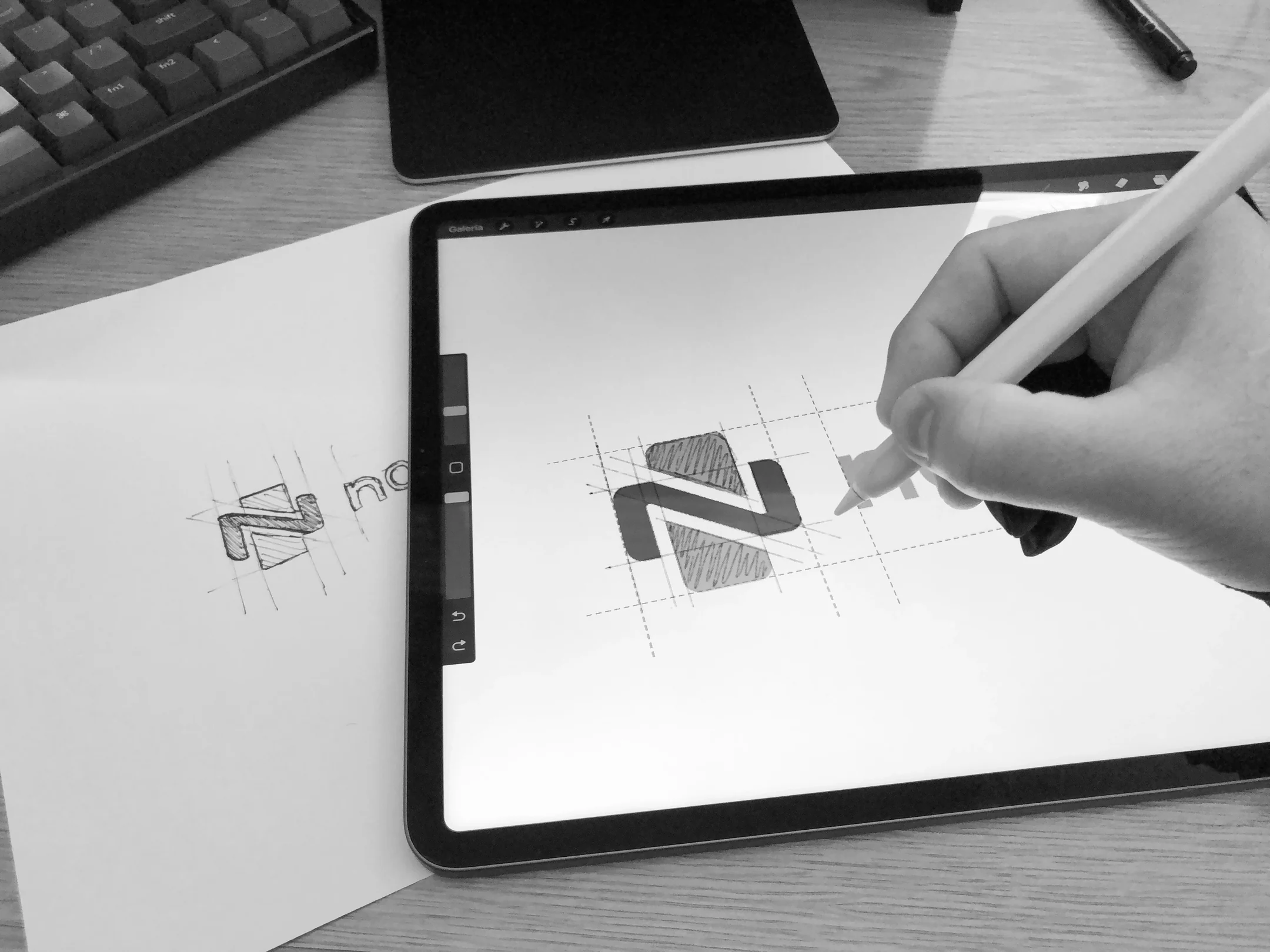
Alongside the product, I designed the brand. The symbol starts from a medical cross, a sign of trust and care, and bends its horizontal bar into an n for Nova, a nod to the name and to the idea of renewal. I first sketched it on paper and then refined it on the iPad over its construction grid, as in the photo below; after it, the animation shows the final mark taking shape until the full logo appears.
From sketches to screens
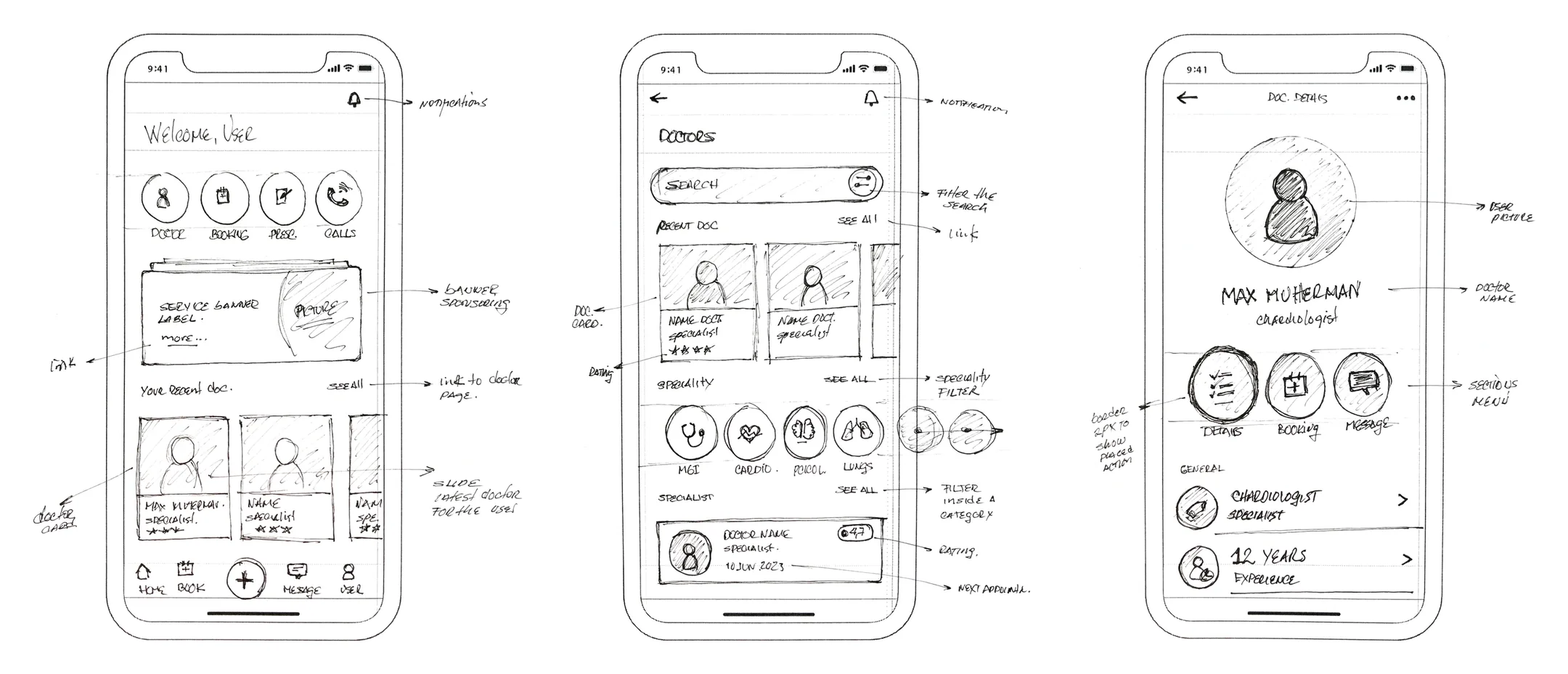
With the map and the brand in place, I went back to the screens and worked top down. Before opening Figma I sketched the home, the doctors list and the doctor’s profile by hand, noting what each element should do. Those sketches became wireframes, and in the animation the wireframe grid turns into the annotated home and the options menu.
From grey to colour
Before adding colour, I built the main flows in greyscale to test structure and content with the team: a doctor’s profile with booking, the summary of the appointment, the payment confirmation and the chat. Once the flows held up, the brand’s teal and the photography came in.
- Doctor detail, greyscale
- Appointment, greyscale
- Payment success, greyscale
- Chat, greyscale
First steps
The app opens with the novahealthcs mark, a short onboarding that explains what it does in two screens, and a clear choice between logging in and signing up.
- Loading
- Consult only with a doctor you trust
- Find a specialist in one place
- Let's get started
A home that leads to care
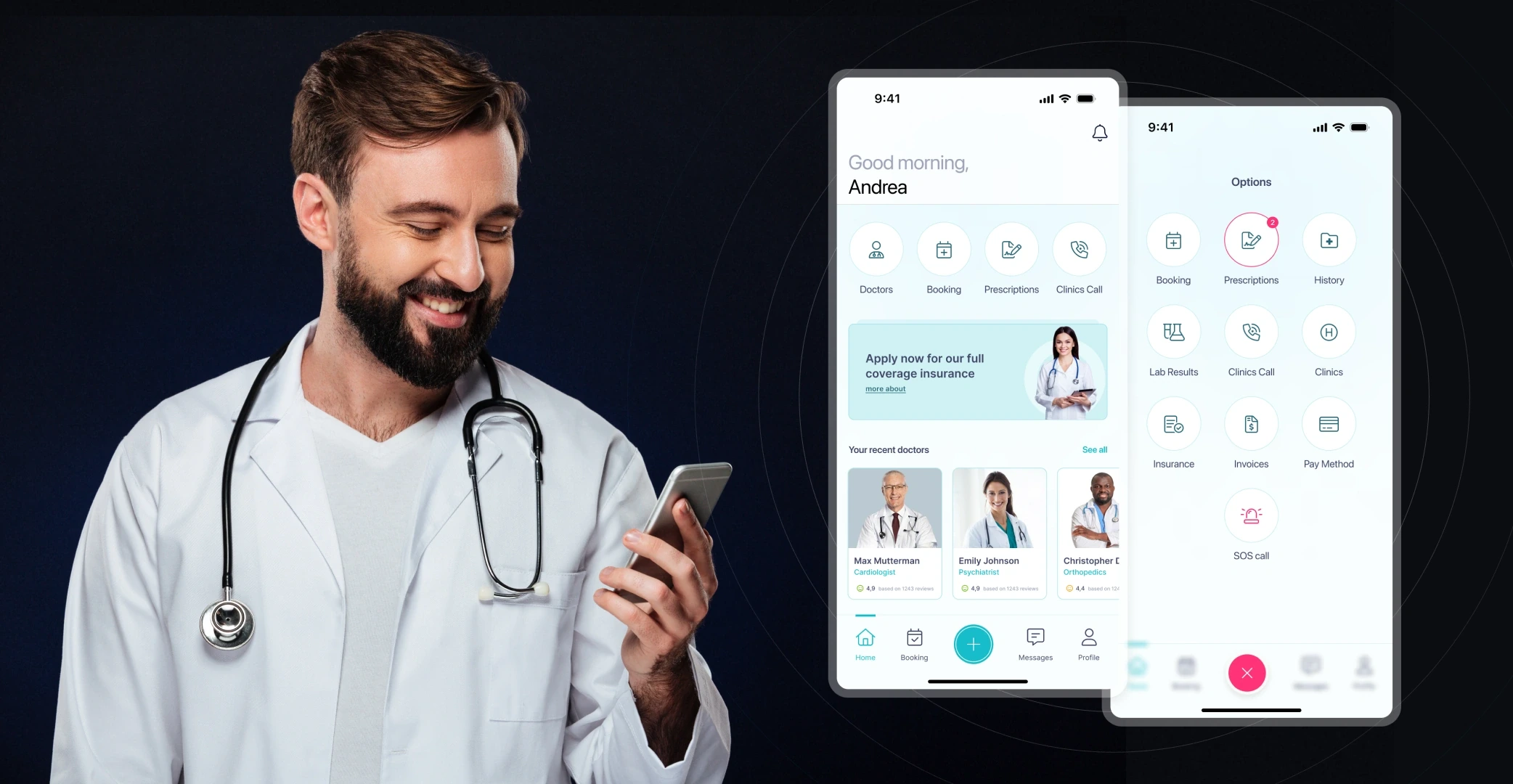
The home greets the patient by name and puts doctors, booking, prescriptions and clinic calls one tap away, with every other service behind the central button. From there, the doctors list shows the recent ones, the specialties and the specialists available.
- Home
- Options menu
- Doctors
- Specialty
Finding the right doctor
Search can be narrowed by specialty, location, experience, language, rating and consultation fee, each one with its own control, and the results show who is available and when.
- Filter your search
- Rating level
- Consultation fee
- Search result
Booking in a few taps
A doctor’s profile shows their specialty, experience and reviews, with booking one tap away: pick a day and a free hour, then check the date, the reason and the cost before confirming.
- Doctor detail
- Book an appointment
- Select date
- Appointment details
Paying without leaving the app
Patients choose a saved card, PayPal, Apple Pay or Amazon Pay, or add a new method, and get a clear confirmation with a shortcut to message the doctor straight away.
- Payment method
- Configure a card
- Payment success
- Appointment confirmed
Every appointment in one place
My Appointments lists upcoming, completed and canceled visits. Each one shows its status in colour, confirmed, pending or canceled, with the options to reschedule or cancel right there.
- My appointments
- Pending to confirm
- Appointment canceled
- Reschedule
Talking to the doctor
Every conversation with a doctor lives in its own thread, opening with a reminder of the next appointment. A video call starts from the same screen, and after the visit the patient can leave a review in a couple of taps.
- Chat with an appointment reminder
- Chat with the doctor
- Video call
- Leave your review
Prescriptions under control
Prescriptions are listed by status and can be filtered by medicine, provider or date. Each one carries a QR code the pharmacy can scan, the full indications and a button to order it again.
- Prescriptions
- Prescription with QR code
- Filter prescriptions
The impact
In a few months we designed NovacsHealth for iOS, Android and desktop, and every screen kept the promise we made at the start: fast, clear and accessible. The new identity made the company feel modern and reliable and set it apart in its market. For me, working with NovacsHealth was a reminder of how much design can change the way people deal with their own health, and of how good it feels to build that with a passionate team.